TRIP PREPARATION / OsmAnd
A long list of saved places is not automatically an itinerary. OsmAnd’s favourites become more useful when names, groups and visual cues reflect the decisions you will make during the trip.
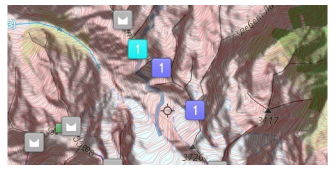
Start with places you can identify
A saved pin should answer what the place is and why it matters. Replace vague names with recognisable ones such as the station entrance or the accommodation reception. Compare the pin against the actual address. Saving the centre of a large building may be less useful than identifying its accessible entrance, particularly at a complex station or shopping centre.
Use groups with a practical purpose
OsmAnd documents groups, colours, shapes and icons for favourites. Choose a grouping system that matches the trip: days for a fixed itinerary, neighbourhoods for flexible exploration or essential versus optional stops. Avoid building several overlapping systems that require maintenance. A small consistent legend is easier to understand on a phone screen while standing outdoors.
Keep notes concise
Use a short note for information that changes a decision: a meeting entrance, a reservation reference stored appropriately, or the reason a place is on the shortlist. Do not put unnecessary sensitive information into a shareable collection. Opening hours and transport arrangements should be rechecked with the relevant provider; a saved note is not a live update service.
Review before sharing
Share only the group another traveller needs. OsmAnd supports exporting favourites, but a recipient still needs a compatible way to open the file and understand its labels. Test a small transfer before relying on it for a whole trip. Remove home addresses or private stops that have no place in the shared plan, and keep an independent backup of the useful collection.
A small check to try
- Verify the exact place and entrance.
- Choose one grouping system.
- Test a small export and review private details before sharing.